
Your AI should live
on your phone.
Not their servers.
Manages your calendar, transcribes meetings live, and answers what you'd never trust Google with. Free tier runs 100% on-device — no cloud, no logs. Upgrade when you want more power.
38 seconds.
That's all it takes.
Watch how LucidPal protects your privacy while doing the work other AIs hand to their servers.
You're already giving away more than you think.
Every time you ask an AI for help, you hand over a piece of your life. Most people never notice — until they do.
You typed your symptoms into ChatGPT at midnight.
Logged. Stored. Tied to your account forever.
You pasted your boss's feedback to get help replying.
That conversation is now someone's training data.
You asked for help with something sensitive.
You had no way to know if it stayed private.
You needed more power. You wanted to stay private.
Every AI forced you to choose one or the other.
On-device by default. Cloud when you want it.
You decide — every time.
No other AI gives you that choice.Free forever · No credit card · No account
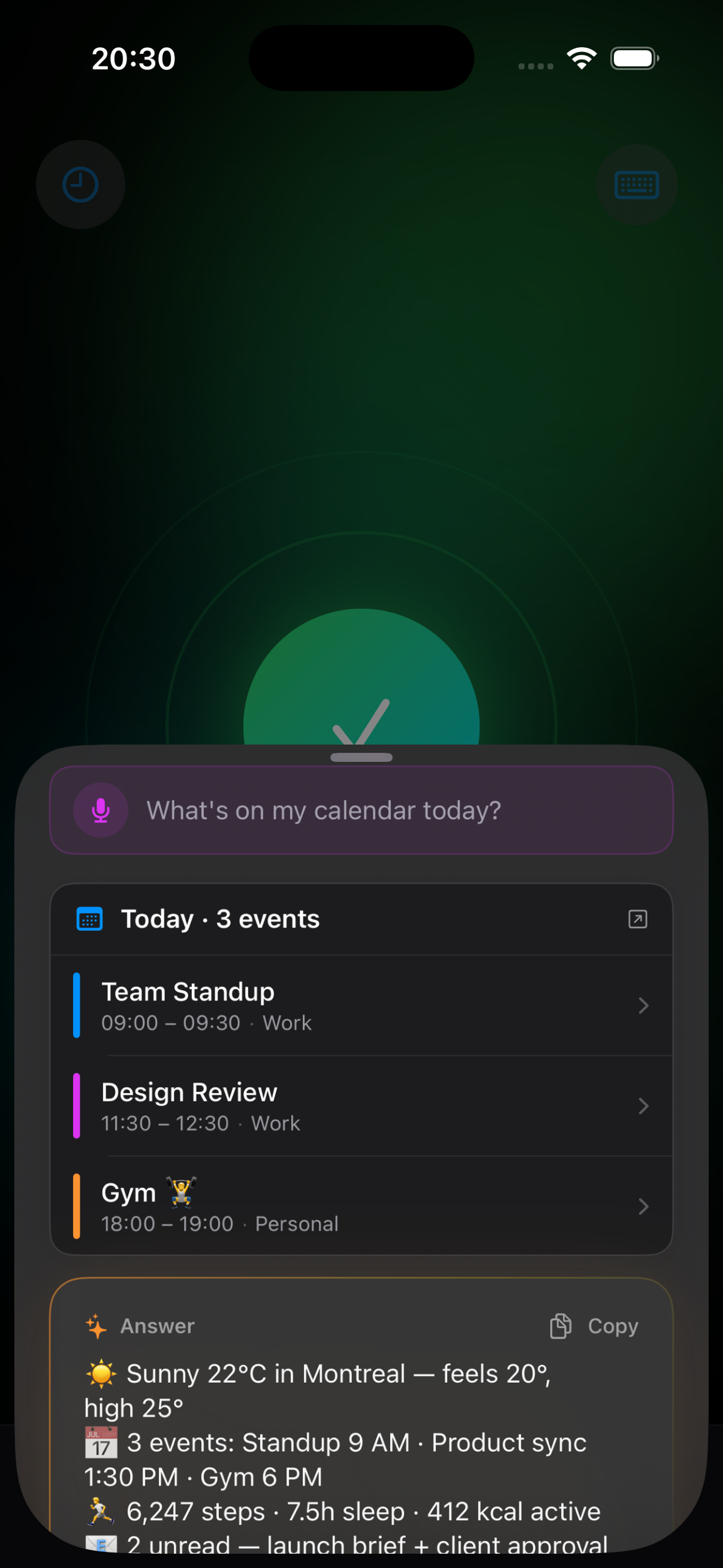
Your calendar is being managed.
Just not by you.
On-device AI that reads your calendar, drafts events, finds free time, and acts — on free tier, without a single request leaving your phone.
- Schedule, reschedule, find free time by voice
- Reads Gmail context on-device — never full content
- Free tier: 23 abilities. None of them touch the internet.
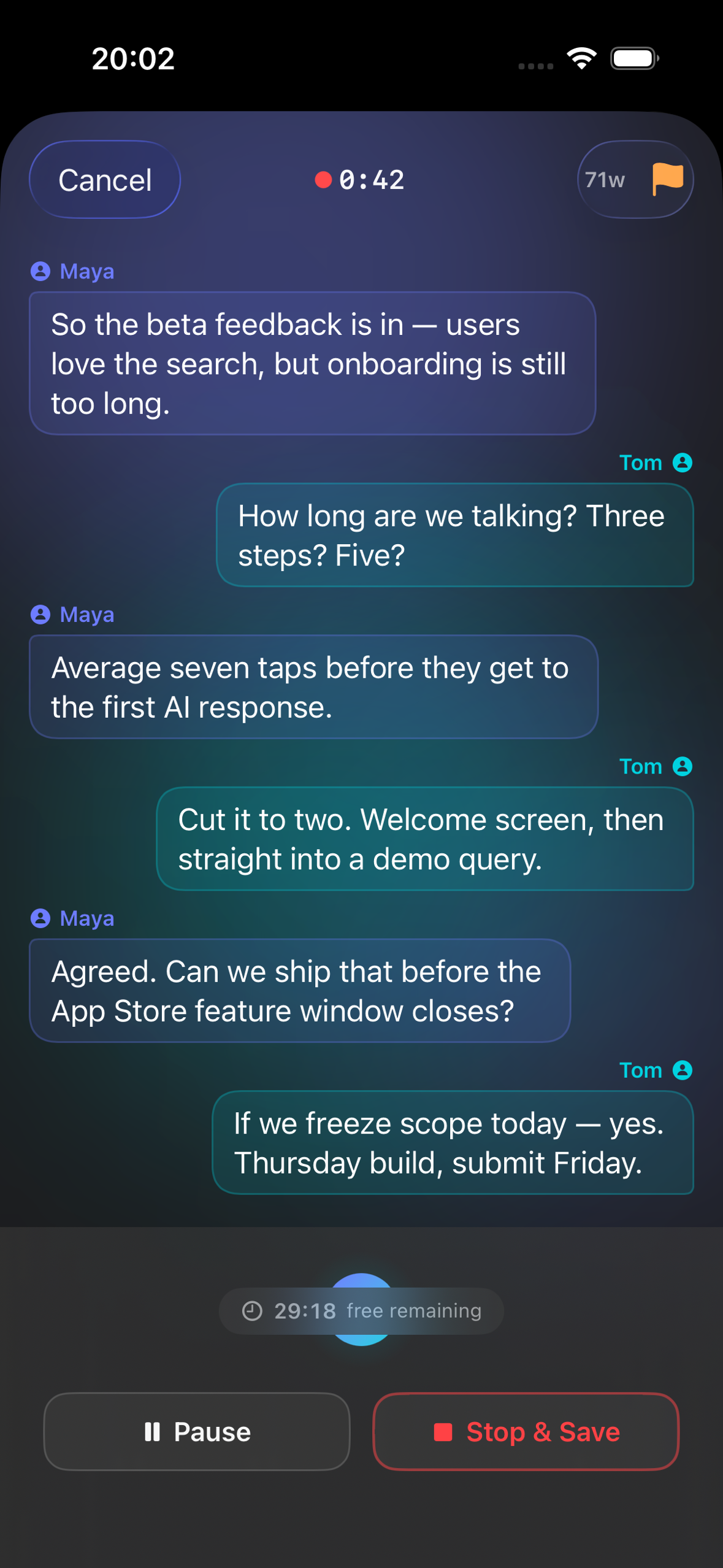
This meeting is happening right now.
You're not capturing it.
Real-time transcription that knows who said what. Processed entirely on your phone — no Zoom bot, no cloud, no one else in your meeting.
- Speaker-aware transcription — who said what
- Auto-summary generated on your device after the meeting
- Works offline, no subscription, no per-minute cost
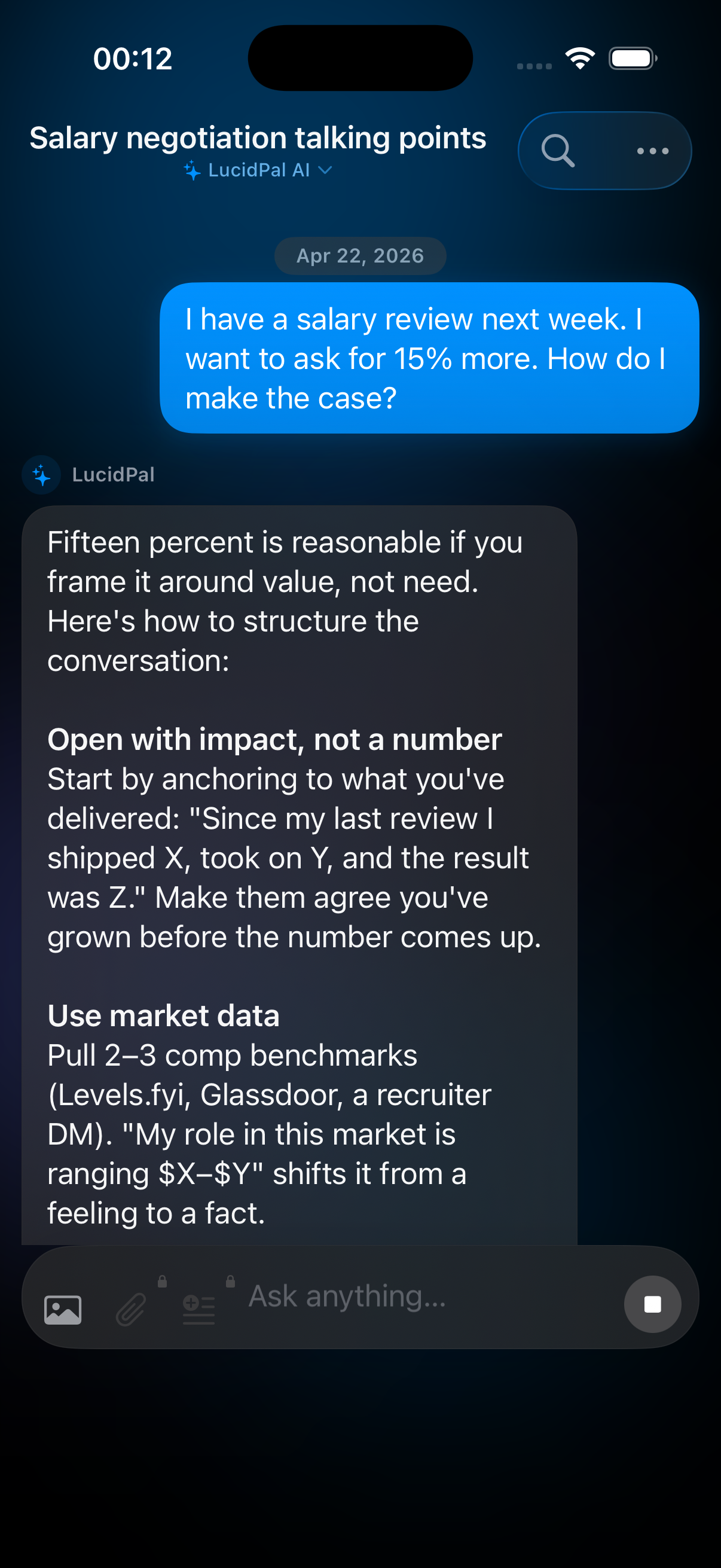
Your most honest conversations
stay that way.
Ask anything you wouldn't type into Google. Your AI knows your context, remembers your preferences — on free tier, nothing leaves your phone.
- Free tier: conversation history lives only on your phone
- Ask personal, sensitive, or private questions freely
- Full context across sessions — it knows who you are
Your data. Your rules. Every time.
Free tier: zero servers, zero accounts, zero compromise. Pro tier: cloud AI on your terms — you decide what leaves your device, and when.
Stays out
Stays inside
On free: no request ever touches the internet. Chats, calendar, and voice stay on your phone. Pro unlocks cloud AI — your choice, every session.
On-device models: Qwen3 0.6B · Qwen3 1.7B · Qwen3 4B · Gemma 4 — browse and download inside the app.
Free forever · No credit card · No account
Your private AI is already free.
No credit card. No account. Upgrade if you ever want more.
The free tier runs entirely on your device — no account, no cloud, no catch. When you upgrade, paid plans unlock LucidPal AI, our cloud-powered assistant — your choice, every session. Your free-tier conversation history never leaves your phone.
Starter
More power, more sessions, daily briefings.
Billed monthly
- Everything in Free
- Gmail — read, search & summarize
- Full calendar control (delete, rename, undo)
- Daily briefing & AI note enrichment
- All Siri Shortcuts
- 5 active sessions · 10 pinned prompts
- Import any GGUF model via URL
Pro
LucidPal AI + Gmail, Brave Search & more.
Billed monthly
- Everything in Starter
- LucidPal AI — 50 messages/day
- Brave Search · Thinking mode
- Unlimited sessions & pinned prompts
- Document processing · Live Activities
- Conversation templates
Ultimate
Unlimited LucidPal AI. No guardrails.
Billed monthly
- Everything in Pro
- Unlimited LucidPal AI
- HuggingFace model browser
- SearXNG private search
- Priority support & early access
- API access
Free
Full on-device AI. No account needed, ever.
- On-device AI (Qwen3 + Gemma)
- Vision — analyze photos & screenshots
- Voice input + AirPods auto-voice
- All data sources (Calendar, Contacts, Health)
- Notes, Habits, Reminders & Location
- Weather & ETA context
- DuckDuckGo web search
- Unlimited local chat history
All purchases are final. No refunds once subscribed.